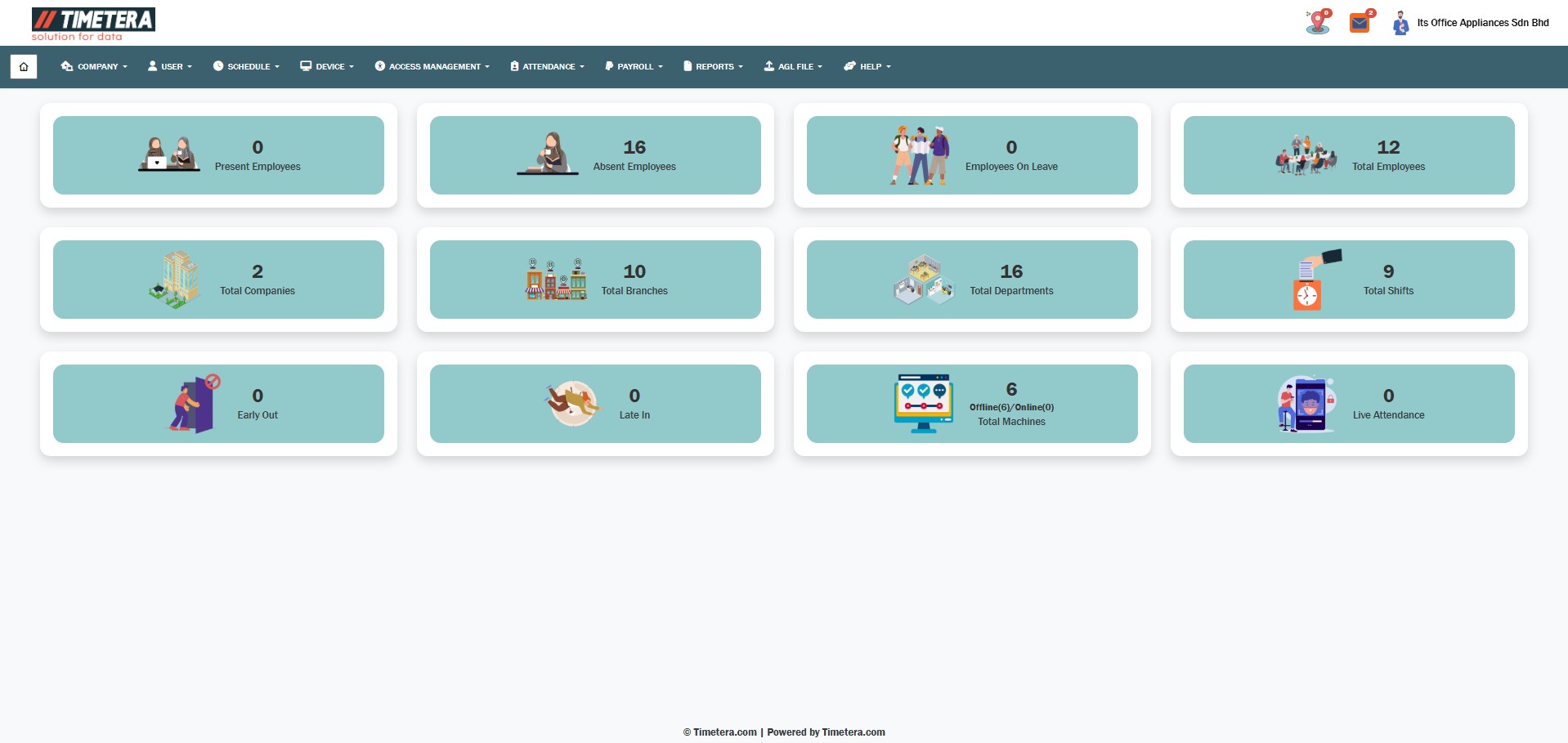
After logging in to the system, you will be directed to the main dashboard.
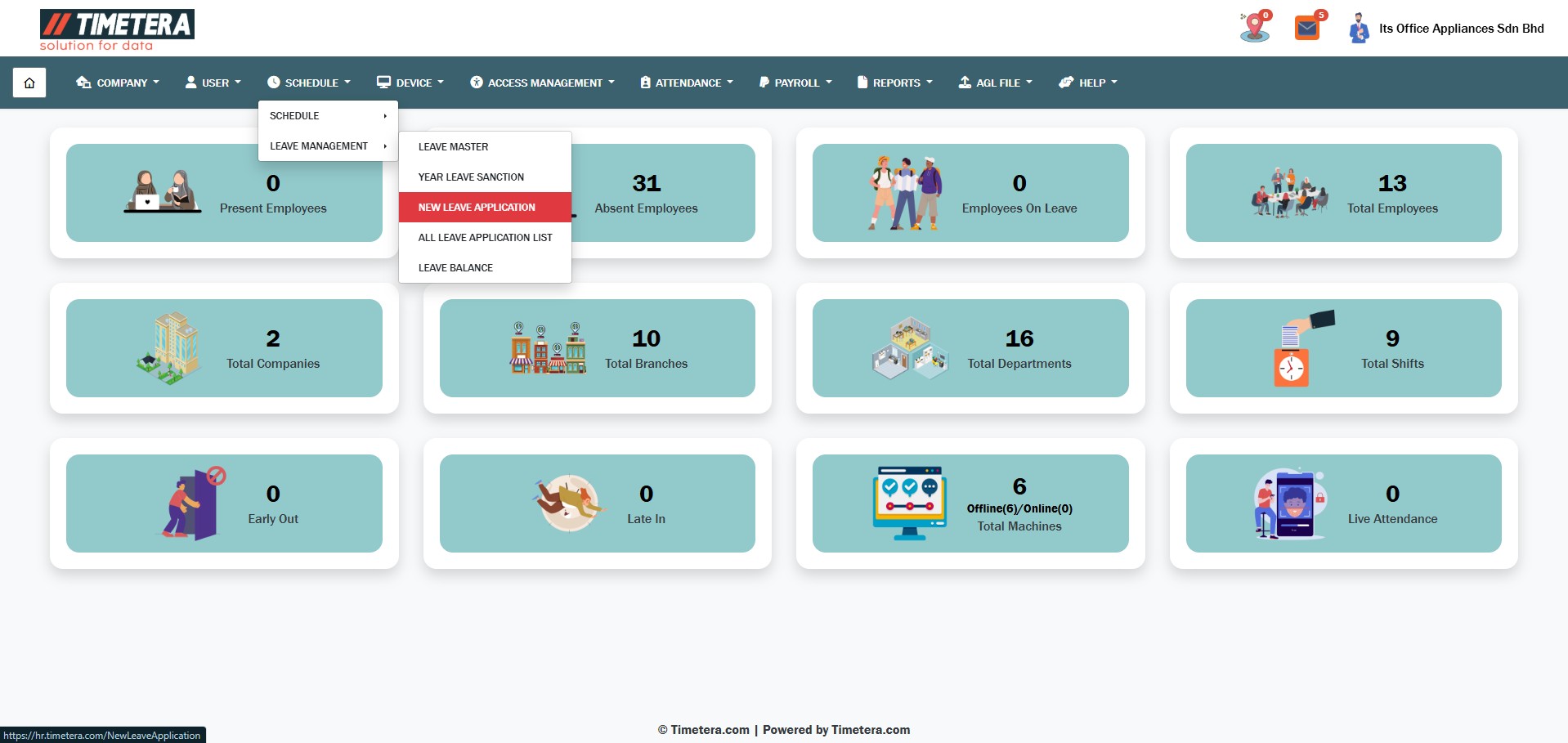
To begin apply leave, follow these steps carefully.
Step 1: Navigate to the New Leave Application #
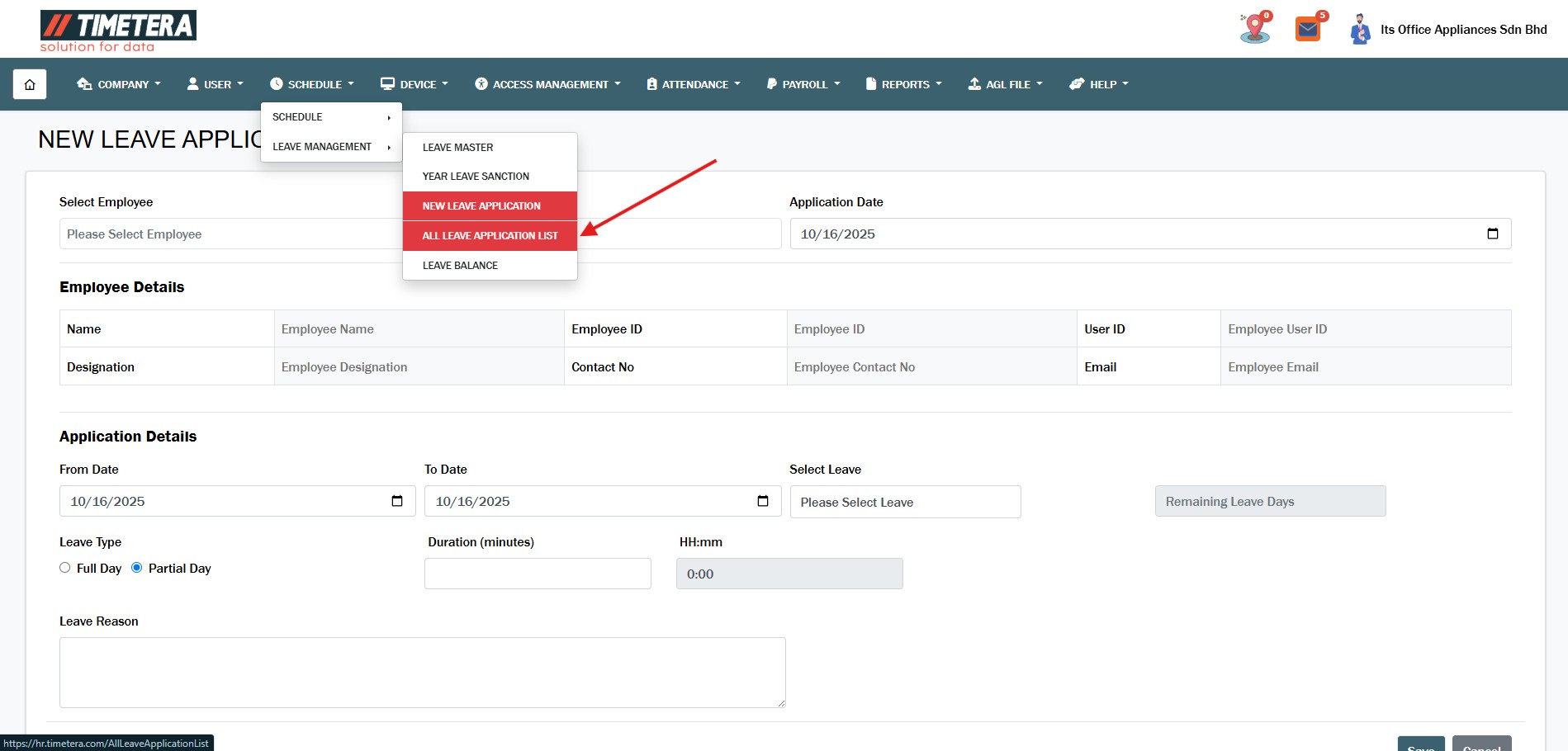
Go to the top menu and click:
Schedule> Leave Management > New Leave Application.
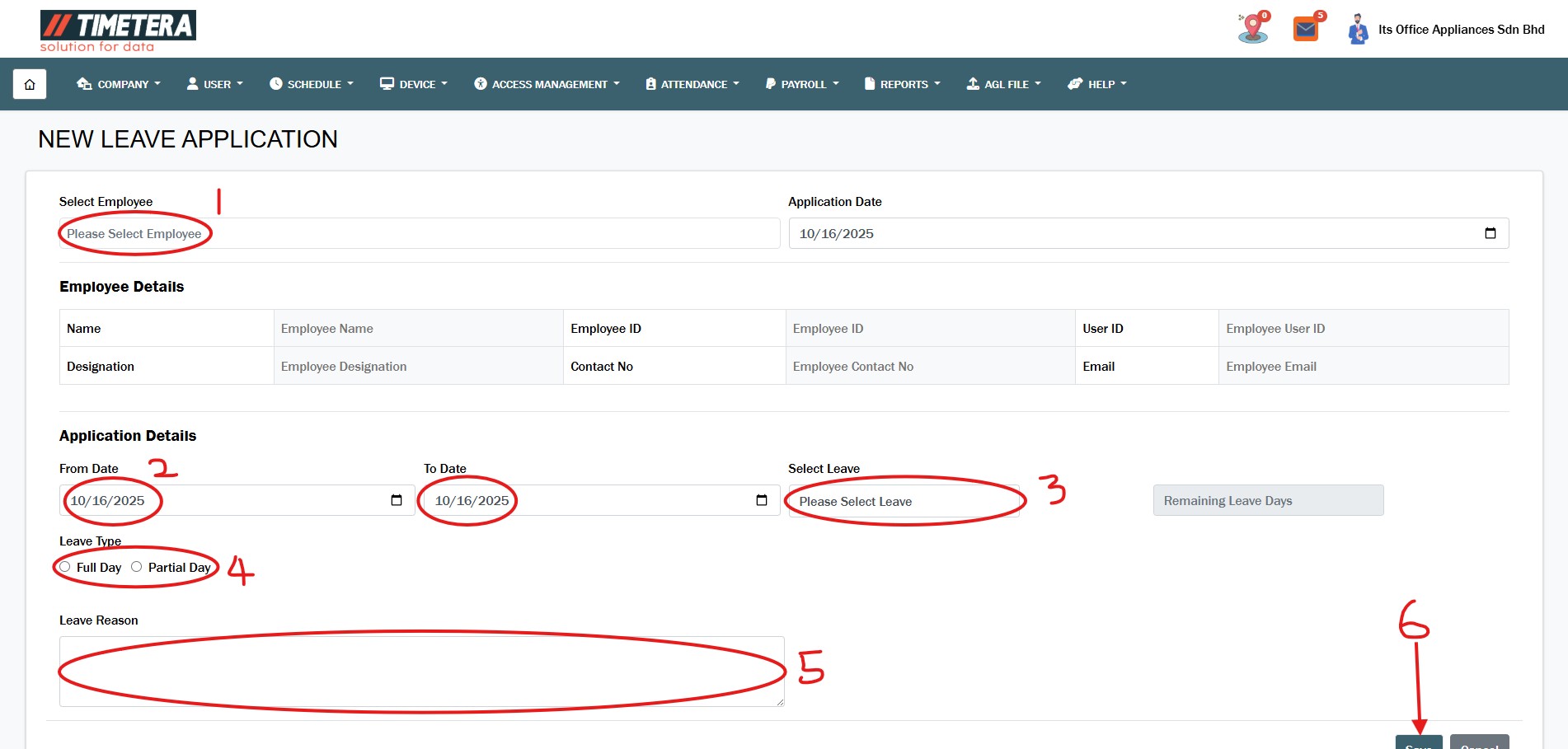
Step 2: Fill The Form #
- 1) Choose the employee
- 2) Select date
- 3) Select leave type
- 4) Choose Full Day or Partial Day. For Partial Day, enter the number of hours.
- 5) Add a reason for the leave, if any.
- 6) Click Save.
Step 3 : Navigate to the All Leave Application List #
Schedule> Leave Management > All Leave Application List.
Step 4 : To Approve Leave #
Now you can select any pending leave requests.
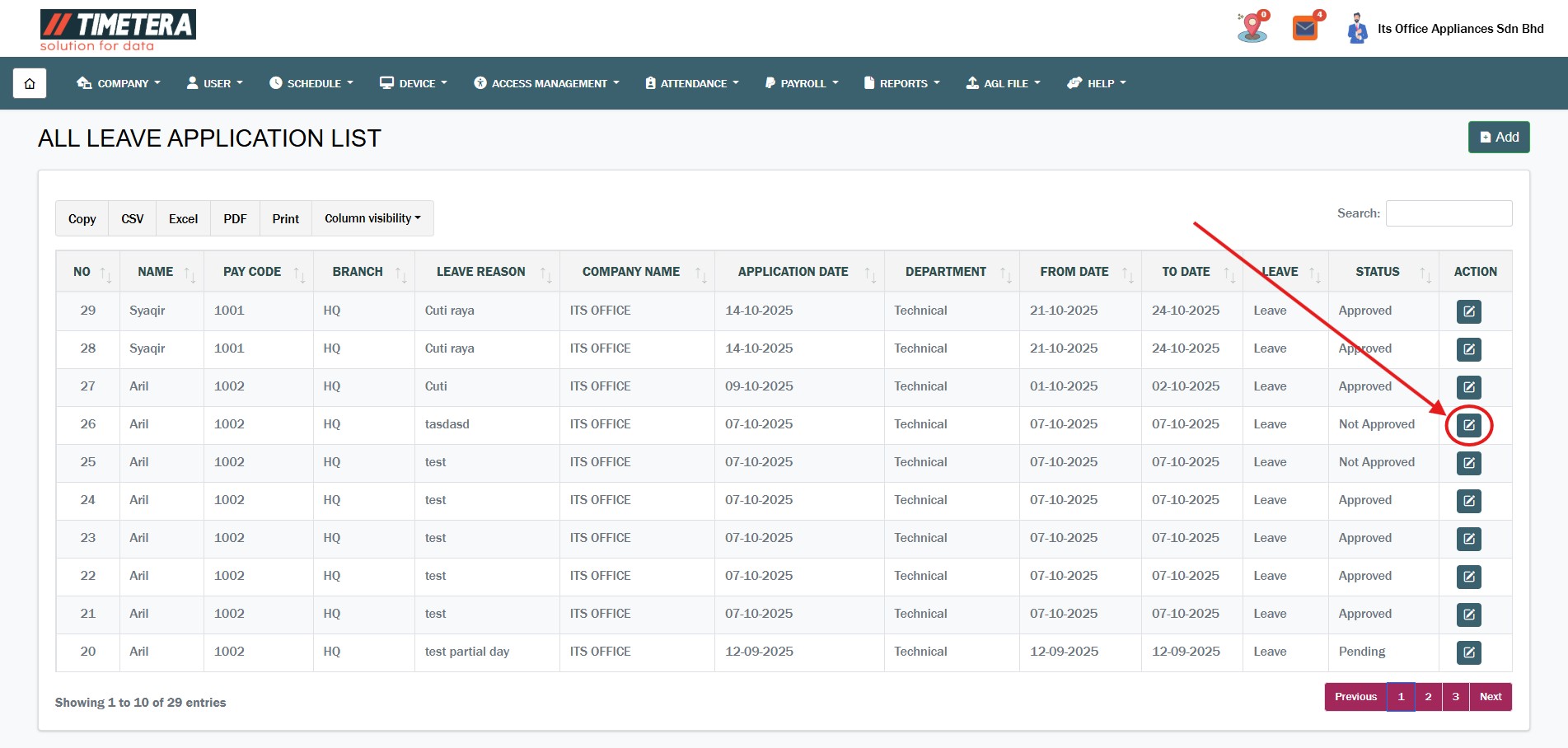
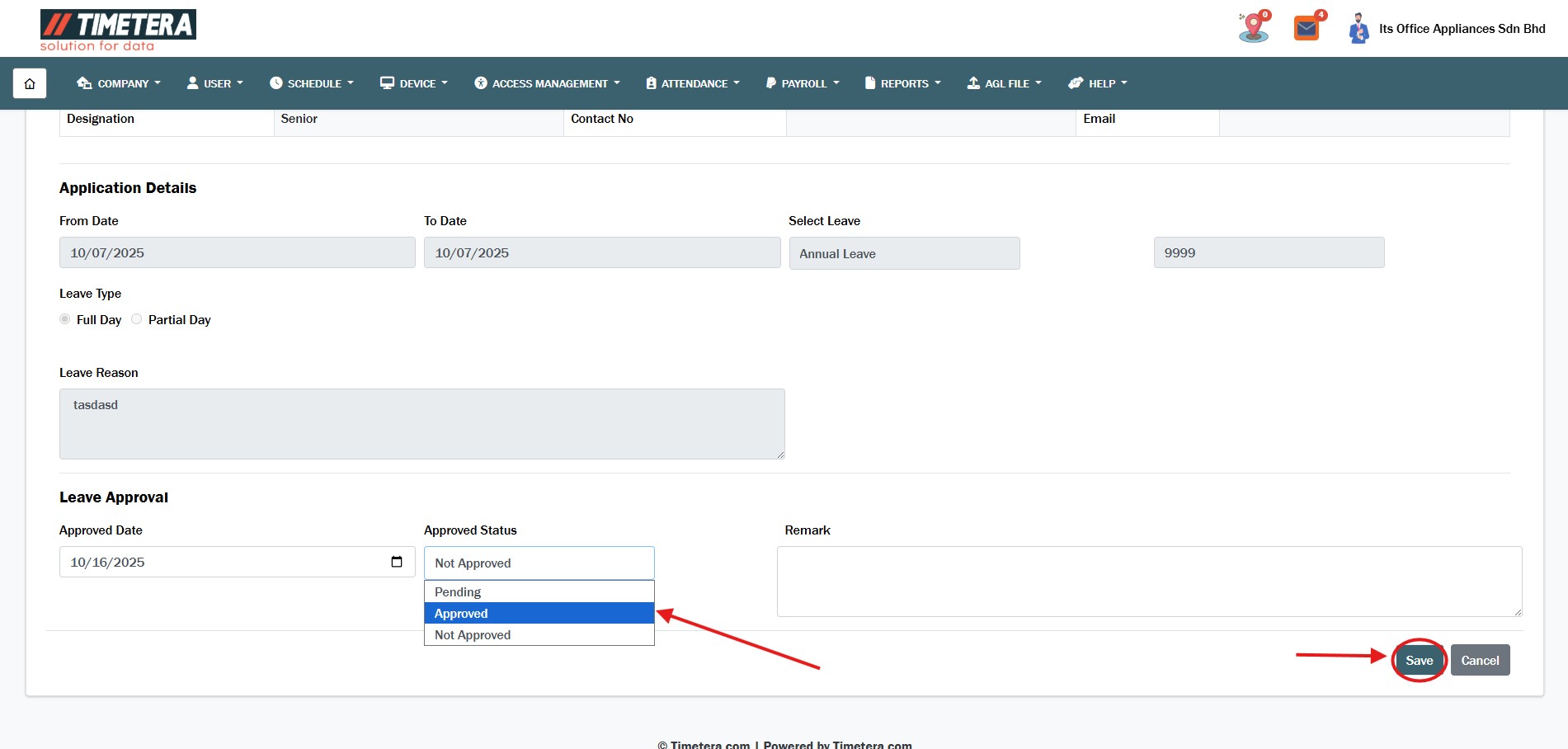
Step 5 : Select The Request #
Now you can choose to approve or reject the leave, click Save.
By following these steps, you can efficiently add and manage the leave.