Solutions · Schools & Education
Smarter Staff Attendance & Campus Access
Teachers, admin teams and support staff work across different schedules, buildings and campuses. Timetera brings attendance, access control and reporting into one connected cloud system.
Real-time
Attendance visibility
Multi-campus
One cloud account
AI + Access
Attendance & door control
- Quick answer
Timetera helps education institutions manage staff attendance and campus access from one system. AI face recognition terminals can verify teachers and employees at entrances, selected devices can support door access, and Timetera Cloud brings attendance from multiple devices or campuses into one real-time dashboard for HR and management.
Why school attendance management gets complicated
Education teams rarely follow one simple 9-to-5 pattern. Different staff groups, campuses and restricted areas create gaps that spreadsheets and standalone devices struggle to manage.
Different schedules for different staff
Teachers, administrators, cleaners, guards and part-time staff may all follow different start times, breaks and working days.
Attendance spread across buildings
Staff may enter through different blocks, offices or campus gates, making one fixed clock-in point inconvenient.
Manual lateness and overtime checks
HR loses time reconciling late arrivals, early departures, overtime and missing punches from separate records.
Restricted rooms need controlled access
Admin offices, staff rooms, labs, IT rooms and storage areas may need tighter access than public learning spaces.
Multiple campuses create data silos
When every branch runs its own attendance process, HQ has to wait for reports before seeing the full picture.
Payroll depends on clean attendance data
Manual re-entry and calculation increase the chance of errors before staff attendance reaches payroll.
Fingerprint vs. touchless face recognition
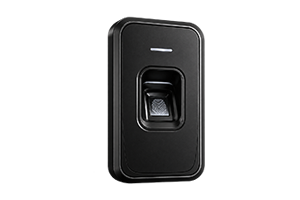
SHARED FINGERPRINT SCANNER
- Touched by every staff member, every shift
- Requires regular sanitising between uses
- Can misread with gloves or hand sanitiser residue
- Adds a physical contact point in a clinical setting
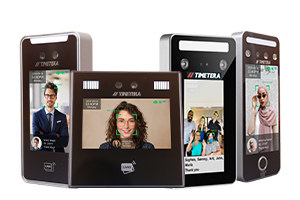
TIMETERA FACE RECOGNITION
- Zero physical contact with the device
- No shared surface to sanitise between uses
- Unaffected by gloves or hand sanitiser
- Verifies identity in under a second, hands-free

What Timetera solves for education institutions
A single system can cover staff attendance, multi-campus visibility, shift rules and controlled access without turning HR into a manual reporting hub.
Contactless face recognition
Verify staff quickly without shared punch cards or manual sign-in books, with supported AI models designed for low-light recognition and mask detection.
One dashboard for multiple campuses
Link devices from different branches or campuses back to one cloud account for central visibility.
Flexible shift management
Configure fixed or flexible schedules, breaks and overtime rules for different staff categories.
Attendance plus door access
Use supported terminals to record attendance and control entry to authorised rooms or staff-only areas.
Real-time attendance monitoring
HR and management can view clock-in and clock-out records live from a PC or mobile browser.
Payroll-ready exports
Move attendance data into payroll workflows with supported exports and integration options instead of retyping timesheets.
One system across the campus
Apply different verification and access rules depending on where staff are entering and what the area is used for.
STAFF ENTRY
Main staff entrance
Fast daily clock-in for teachers, admin and support teams using face recognition or other supported verification methods.
Attendance + identity verification
RESTRICTED AREA
Admin & staff offices
Use attendance-enabled access control to limit selected doors to authorised employees.
Staff-only door access
HQ / SECOND CAMPUS
Central cloud dashboard
Connect additional devices to the same cloud system so HQ can review attendance without manual branch consolidation.
All campuses → One account → Central reporting
How it rolls out across your institution
Start with one campus or department, then add more devices, access points and branches under the same cloud structure.
01
Map staff & campuses
Identify departments, staff groups, campuses and entry points where attendance needs to be captured.
02
Configure schedules
Set teaching, admin, support, security and part-time working patterns with the right break and overtime rules.
03
Install devices & access
Deploy biometric terminals at key staff entry points and configure supported doors where access control is required.
04
Centralise reporting
HR and management can monitor attendance live and prepare monthly or payroll-ready reports from one dashboard.
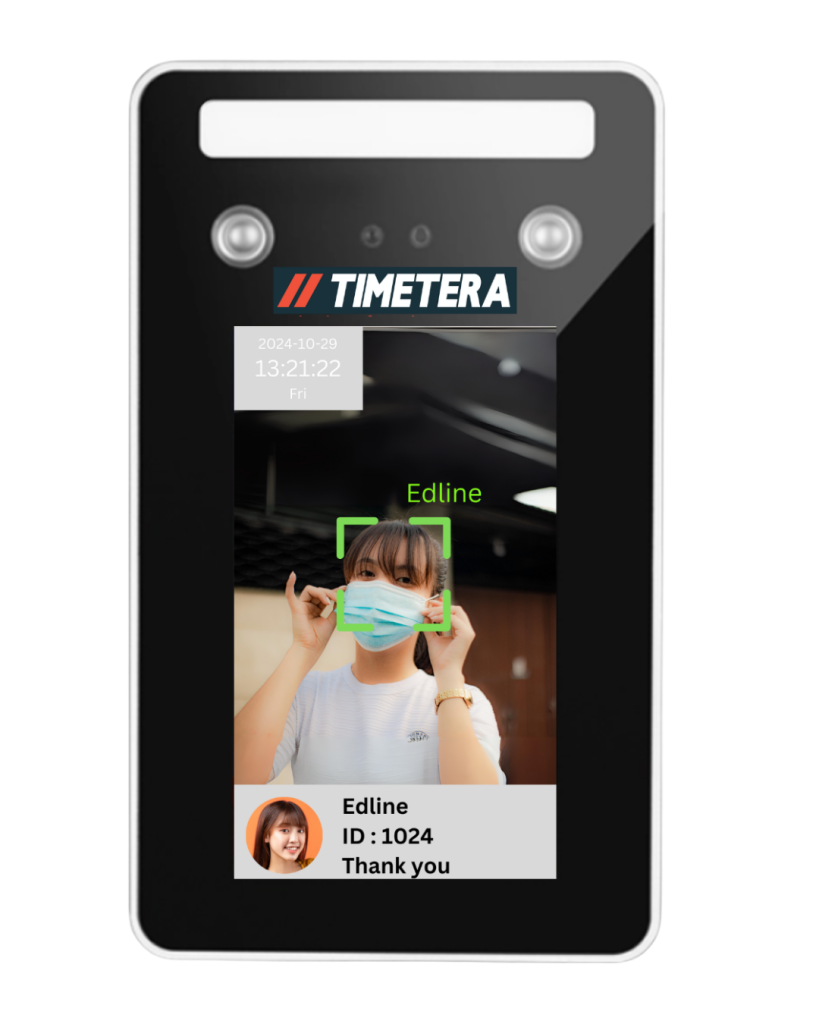
Recommended device
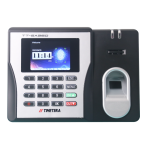
Timetera 62AI + Timetera Cloud
A practical setup for schools that want fast contactless staff attendance, cloud reporting and door access support from the same terminal family.
AI face recognition with low-light support and mask detection
Recognition speed of less than one second
Face, card and password verification options
Up to 5,000 facial records and 500,000 transaction logs
Door access support with WiFi, TCP/IP and USB communication
Trusted by businesses and organisations across Malaysia









Frequently asked questions
Straight answers for school owners, principals, administrators and HR teams evaluating attendance and access control.
What attendance system is suitable for schools and education institutions in Malaysia?
Timetera combines cloud attendance with biometric devices so schools can manage staff clock-ins, late arrivals, working hours and multiple campuses from one central dashboard.
Can Timetera manage multiple school campuses or branches?
Yes. Timetera Cloud supports multiple outlets and devices linked back to HQ, allowing school groups and education operators to view attendance across campuses from one account.
Can teachers and staff use face recognition instead of fingerprint?
Yes. Timetera offers AI face recognition terminals with contactless verification, including models with low-light support and multiple verification methods such as face, card and password.
Can Timetera control access to staff rooms, offices or restricted rooms?
Yes. Selected Timetera terminals include door access functions, and Timetera access controllers can support larger multi-door deployments with compatible readers.
Does Timetera support flexible schedules for education staff?
Yes. Timetera Cloud supports fixed and flexible shift schedules, break controls and automatic overtime rules for staff with different working patterns.
Can attendance data be exported for payroll?
Yes. Timetera Cloud supports data export to payroll software such as SQL Payroll, AutoCount and HR2000, with custom integration available upon request.
Related solutions
Multi-branch
Real-time visibility across all locations connected directly to HQ for seamless oversight.
Warehouse
Robust biometric terminals suited to industrial environments and rotating shift workers.
Retail and F&B
Manage shift workers and multiple outlets with centralized attendance tracking from one dashboard.
Gyms, Clubs & Co-working Spaces
Fast, card-free entry for members and staff, with every visit logged automatically in the cloud.
Construction & Field Sites
Track workers across project sites with biometric clock-ins that put an end to buddy punching.
Hotels & Hospitality
Keep attendance accurate for front desk, housekeeping, and banquet crews working around the clock, including seasonal staff.
Schools & Education Institutions
Accurate attendance records for teachers and support staff on every campus, with reports ready for administrators.
Property Management & Office Towers
Manage who enters each floor and building, with tenant and contractor access updated remotely.
Banks, Data Centers & Government Offices
Restrict sensitive areas to authorized personnel, with a complete audit trail of every entry.
Manufacturing
Capture overtime to the minute on production lines and send hours straight to payroll, with no manual timesheets.
Bring attendance and access into one campus system
Book a free demo and we’ll map your campuses, staff groups, schedules and restricted areas into a practical Timetera setup.